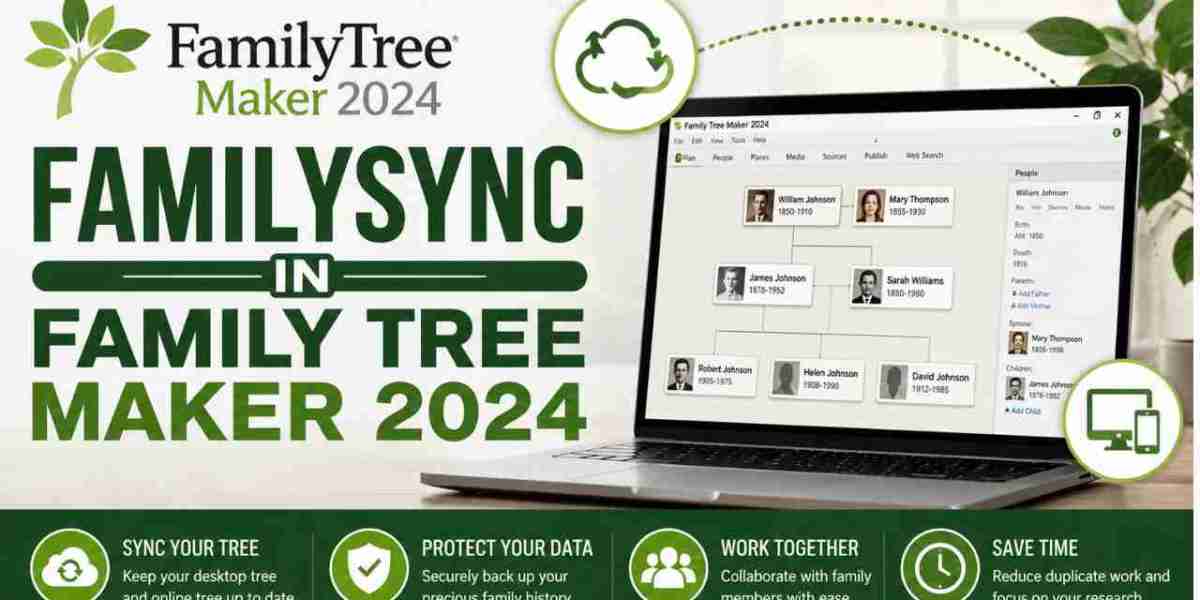

Family Tree Maker 2024 is one of the most trusted genealogy programs for organizing family history, preserving records, and managing ancestral research. One of its most valuable features is the ability to synchronize your desktop tree with your linked Ancestry tree. This saves time, keeps your information updated, and allows you to continue your research across different platforms.
However, many users mistakenly believe that every file, preference, and setting is included during synchronization. In reality, the sync process is designed to transfer genealogy data—not every piece of information stored on your computer. Understanding these limitations helps prevent confusion and ensures your research remains safe.
Why Some Information Is Excluded from Synchronization
Synchronization is built to keep your family tree accurate and consistent between your desktop software and your online Ancestry tree. Since every computer has different settings and configurations, certain files are intentionally kept local instead of being uploaded.
This approach improves performance, reduces synchronization conflicts, and prevents unnecessary data from being transferred. It also ensures that only relevant genealogy information is exchanged between the two trees.
What FamilySync Transfers
Before discussing what isn't synchronized, it helps to understand what is normally included. The synchronization process is designed to update your family tree with important genealogy information, including individuals, family relationships, facts, events, notes, sources, citations, and many linked media items.
Whenever you add a new ancestor, update birth or marriage information, attach records, or edit notes, these changes are generally transferred between your desktop tree and your linked online tree after a successful synchronization.
This makes it much easier to continue your genealogy research without manually entering the same information twice.
Understanding FamilySync In Family Tree Maker 2024
FamilySync In Family Tree Maker 2024 is designed to synchronize your genealogy database rather than your entire software installation. While it keeps your family tree information updated between your desktop program and your linked Ancestry tree, several types of data remain stored only on your computer.
Items that generally are not synchronized include:
- Software preferences and application settings
- Customized workspace layouts
- Window positions and display preferences
- Printer and page setup configurations
- Local backup (.FTMB) files
- Temporary cache files
- Saved report layouts
- Personal report formatting
- Desktop-specific filters
- Local media folder organization
- Computer-specific program options
These items are unique to your computer and are not considered part of the genealogy database. As a result, they remain available only on the device where they were created.
Why Local Backups Are Still Important
Many users assume synchronization replaces the need for backups. This is one of the biggest misconceptions.
Synchronization keeps two copies of your family tree consistent, but if unwanted changes are synchronized, those changes may appear in both locations. A backup, however, creates a separate recovery copy that can be restored if needed.
Creating regular backup files before large editing sessions, software updates, or synchronization provides additional protection for years of genealogy research.
Moving to a New Computer
If you purchase a new computer, syncing your tree alone may not restore everything exactly as it appeared on your previous device.
Your customized reports, software preferences, printer settings, saved layouts, and local backup files do not automatically transfer during synchronization. The recommended approach is to restore your Family Tree Maker backup after installing the software on your new computer.
This preserves much more than simply synchronizing your online tree.
Tips for Successful Synchronization
A few simple habits can make synchronization much smoother.
Always create a fresh backup before beginning a large synchronization session. Confirm that your internet connection is stable and avoid closing the software while synchronization is in progress. If you have edited both your desktop tree and your online tree, carefully review any synchronization messages before accepting changes.
Keeping your software updated also helps improve stability and reduces the possibility of synchronization issues.
Organizing your media files consistently and avoiding unnecessary changes to file locations can also prevent broken media links.
Common Mistakes Users Make
Many Family Tree Maker users accidentally assume that synchronization works like cloud storage.
In reality, synchronization is designed specifically for genealogy data. It does not function as a complete backup solution, nor does it copy every file associated with the software.
Another common mistake is deleting local backup files after a successful sync. Since backups are independent of synchronization, deleting them removes an important recovery option if something unexpected happens later.
Understanding these differences helps protect your family history and prevents unnecessary frustration.
Best Practices for Protecting Your Family Tree
Experienced genealogists recommend following a simple routine whenever working on your family tree.
Create regular backups before major edits, synchronize frequently instead of waiting for hundreds of changes, verify that synchronization finishes successfully, and keep backup copies in more than one location. Many researchers save additional copies on an external drive or secure cloud storage for extra protection.
These habits provide peace of mind and help preserve valuable family history for future generations.
Conclusion
Synchronization is one of the most useful features available in Family Tree Maker 2024, but it is important to understand exactly what it does and does not transfer. Knowing which files remain on your computer allows you to manage your genealogy research more confidently and avoid unexpected surprises.